If you are just getting started and want fashion picks without endless scrolling, the hipobuy spreadsheet beginner guide is the practical starting point most new shoppers wish they had found earlier. It turns a messy pile of product links into a clear, searchable system so you can move from idea to order much faster.
Smart Search Tip: Looking for more? To find items instantly, use single-word keywords (e.g., “SHOES” or “T-SHIRT”) instead of long sentences for the best results.
Jump to Section
RECOMMENDED RESOURCE
Looking for the 10K+ Database?
Get instant entry to the complete, continuously updated 10,000+ link archive.
What Is the Hipobuy Spreadsheet?
After placing a few early orders through different agents, I realized the biggest time sink was not the ordering itself. It was finding reliable product links, checking seller feedback, and comparing options. That is exactly where the Hipobuy Spreadsheet steps in.
In simple terms, it is a large, community-maintained collection of product links organized by category. Instead of searching Chinese platforms from scratch every time, you open the spreadsheet (or an improved web version of it) and browse pre-selected items that other shoppers have already tested or shared. Many entries include notes on sizing, seller reputation, and links to quality-check photos so you can see the item before it ships.
The spreadsheet itself is not a store. It does not sell anything. It simply points you toward products that can be purchased through a shopping agent such as Hipobuy. Think of it as a well-organized shopping list that thousands of people keep updating with new finds throughout the year.
For beginners, the value is speed and clarity. You skip the trial-and-error phase that usually comes with discovering good sources on your own.
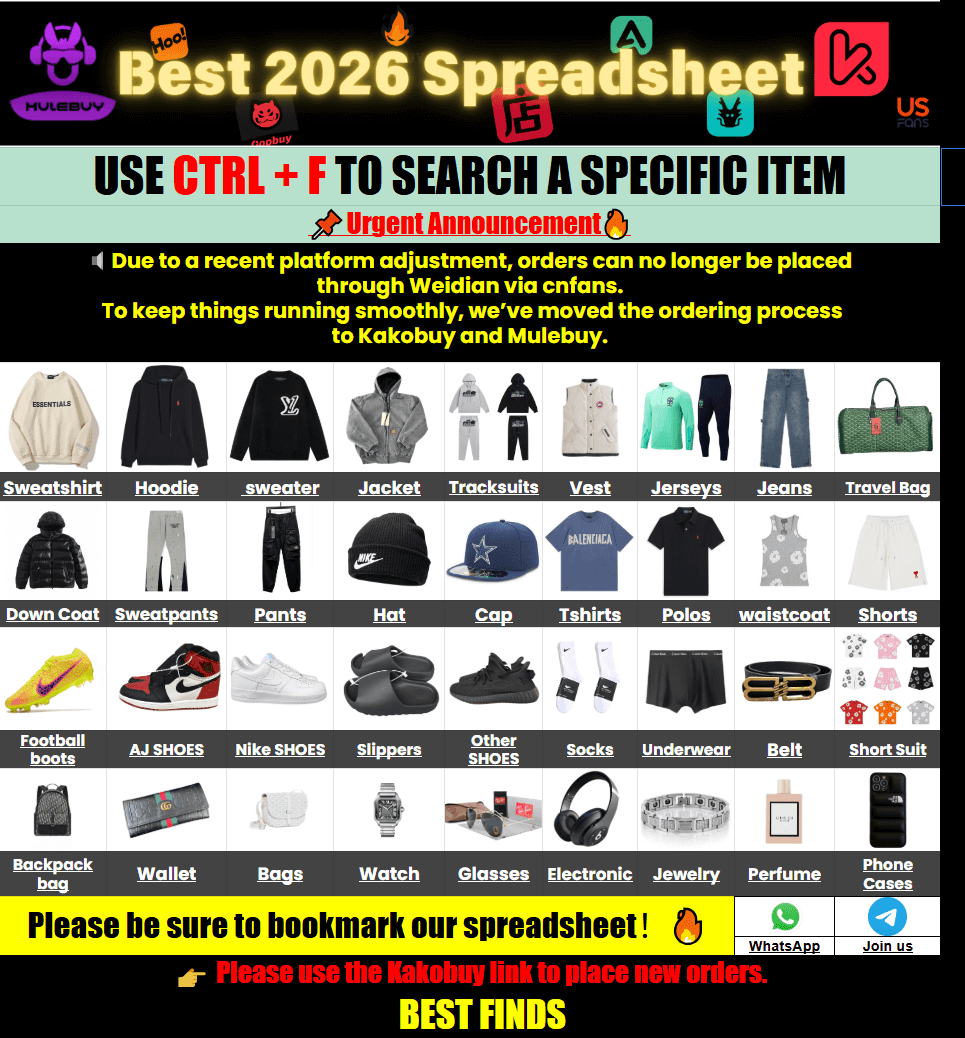
What Is Its Relationship with Hipobuy?
Hipobuy is a shopping agent based in China. You paste a product link (usually from Taobao, Weidian, or 1688), they buy the item for you, store it in their warehouse, take optional quality-check photos, and then ship the package to your country once you are ready.
The Hipobuy Spreadsheet is an independent resource that works especially well with Hipobuy and similar agents. Most links inside the spreadsheet are formatted so you can copy them straight into the agent’s order form. Some community versions even add direct “order” buttons that open the agent page with the link already filled in.
They are two separate things that complement each other. Hipobuy handles the actual purchase, storage, inspection, and international shipping. The spreadsheet handles the discovery side so you spend less time hunting for products and more time choosing the ones that fit your style and budget.
Many experienced shoppers keep both open side by side: spreadsheet for browsing, Hipobuy dashboard for placing and tracking orders. That combination is what makes the whole process feel smoother for people outside China.
If you want a cleaner browsing experience than a traditional Google Sheet, sites such as kakobuy spreadsheet turn the same data into a more searchable, mobile-friendly catalog with photos and filters.
How Do I Search for Items I Want to Buy?
Most beginners overcomplicate the search. The fastest way is surprisingly simple.
Open the spreadsheet or the web version that organizes the same data. Look for the search box or the category tabs. Type a single clear word: “hoodie,” “sneakers,” “bag,” “jacket.” Avoid full sentences. The filters and search functions respond better to short, exact terms.
Once results appear, check three things before adding anything to your agent cart:
- Does the entry include recent quality-check photos?
- Is there a size chart or batch sizing note?
- What do the latest buyer comments say about the seller?
If the spreadsheet version you are using supports filters, narrow by category first, then by price range or season. This cuts the list down quickly. After you select a few candidates, copy the product links into your Hipobuy account and request QC photos if they are not already available. Only confirm the order once the photos look good to you.
On mobile the process is almost identical. Most improved web versions of the spreadsheet load cleanly on phones, so you can browse during a commute or while waiting in line.
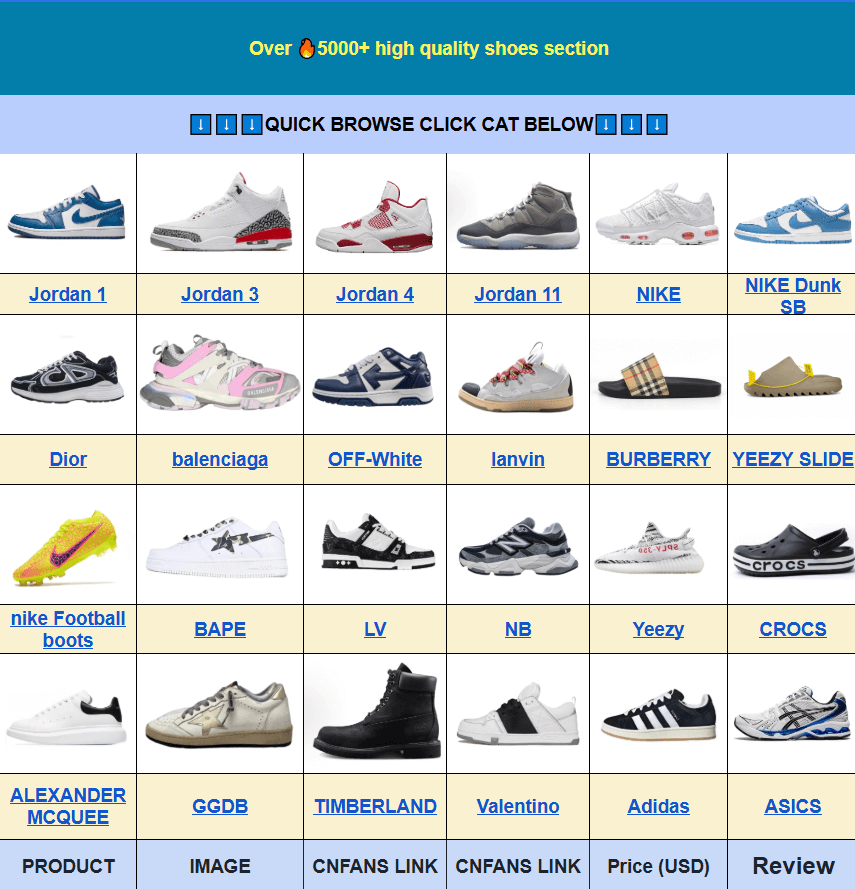
Main Categories and What You Usually Find
The spreadsheet is divided into practical groups rather than endless random links. Here is a quick overview of the sections most beginners use first:
| Category | Typical Finds | Why Beginners Like It |
|---|---|---|
| Tops & Streetwear | T-shirts, hoodies, jackets | Easy size charts and frequent updates |
| Footwear | Sneakers, casual shoes | Many entries include QC photo sets |
| Accessories | Bags, hats, belts, jewelry | Lower price point for testing the process |
| Women’s Fashion | Dresses, sets, outerwear | Clear seasonal filters in many versions |
| Seasonal & Limited | Summer essentials, archive finds | Helps you avoid outdated links |
These categories keep the list usable. Without them, a 10,000-link collection would feel overwhelming. With them, you can jump straight to the type of item you actually need.
First-Time User Tips That Actually Help
Start small. Order two or three lower-cost items first so you learn the flow of QC photos, warehouse storage, and international shipping without pressure. Once you understand how long each step usually takes, larger hauls become much less stressful.
Always review the QC photos yourself. Agents can catch major defects, but only you know whether the color, logo placement, or fabric texture matches what you expected. Most agents let you request additional photos or even a video for a small fee.
Keep a simple note of the links you like. Some people create their own mini spreadsheet or just save the links in a notes app. When a new update appears in the main community list, you can quickly compare.
Finally, check the shipping calculator inside your agent account before you confirm the package. Rates change by weight and destination, and seeing the estimate early prevents surprises.
Common Questions from Real Shoppers
Is the Hipobuy Spreadsheet mobile version easy to use?
Yes, especially the web-based versions that convert the original sheet into a cleaner interface. On my phone the category tabs and search bar work the same way as on desktop. I usually browse during lunch breaks and add candidates to a shortlist, then place the actual orders later on a larger screen.
How is the product quality? Are there QC photos?
Quality varies by seller, which is why QC photos matter so much. Most entries that stay popular in the spreadsheet include recent photo sets taken at the warehouse. I always wait for those photos before releasing the item for shipping. If something looks off, I can usually return it to the seller through the agent and try a different batch.
What benefits are there for first-time users?
The biggest one is speed of discovery. Instead of learning which sellers are consistent through trial and error, you start with a filtered list that other shoppers have already used. Clear categories and size notes also reduce the number of wrong sizes I ordered in my first few months.
What are the international shipping costs and delivery times?
Costs depend on weight, volume, and destination. Most agents show an estimate once the items are in the warehouse. Delivery to the US or Europe commonly ranges from 7 to 20 days with standard lines, faster with priority options. I always check the calculator after the package is consolidated so the final number is accurate.
What should I do if I receive an unsatisfactory product?
Contact the agent’s customer service first with photos of the issue. Many agents offer a limited window to open a dispute with the original seller. Keep the packaging and any tags until the case is closed. Having the original QC photos helps a lot because you can compare what left the warehouse with what arrived.
Why not just use a regular Google Sheet?
A plain Google Sheet works, but it becomes slow and hard to navigate once the list grows past a few thousand rows. Web versions that organize the same data into categories, add search, and display photos load faster and feel more like a shopping site. I switched after realizing I was spending more time scrolling than actually choosing items.
Is the Hipobuy spreadsheet safe? Does it share user data?
The spreadsheet itself is just a collection of public product links. It does not require a login or collect personal information when you browse. Your actual order data stays inside the shopping agent account you choose to use. As with any online shopping, stick to the official agent site when you place orders and avoid sharing payment details outside that platform.
What are its advantages compared with other spreadsheet sites?
The main advantages I notice are frequent updates, clear category separation, and the presence of QC photo links next to many items. Some other lists feel static or mix every type of product into one long page. A well-maintained Hipobuy-focused list stays organized and makes single-word searches more effective.
🔥 Explore Popular Hipobuy Categories & Spreadsheets: